
Meta Tech Partner·Powered by official WhatsApp

Convert More Leads IntoCustomers Using WhatsApp

Engage instantly, follow up automatically, and close more sales — all in one place.

Start Free Trial

No credit card required · Cancel anytime · Free for 7 days

98% message open rate. Faster replies = higher conversions.

WhatsTool Video Content

Trusted by founders & marketers globally

Trusted Companies

Most Businesses Lose Revenue After Getting Leads

Leads are not followed up on time
Customers lose interest quickly
Manual replies slow down sales
Opportunities are missed every day

Leads don't convert because response is delayed.

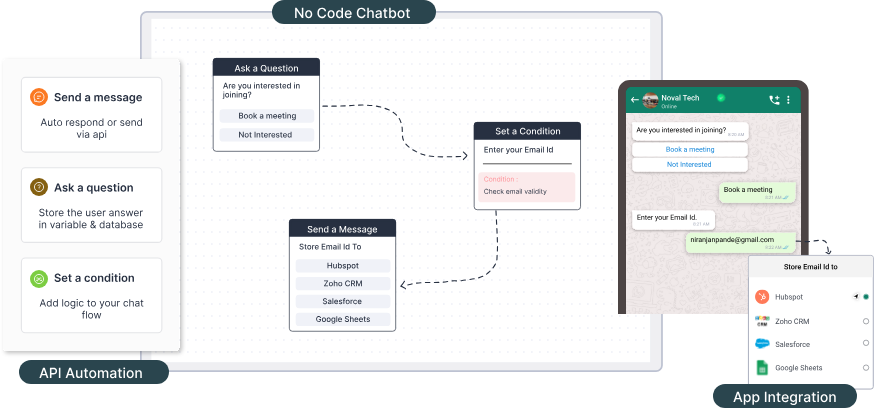
Turn WhatsApp Into Your Sales Engine

Engage leads instantly, follow up automatically, and never miss a sale. Simple to use — no technical skills required.

Instant lead engagement
Automated follow-ups
Continuous customer interaction
Better conversion rates
Turn WhatsApp into your sales engine

How It Works

From lead to customer in minutes — not days.

1
LeadSomeone shows interest in your business
2
Instant MessageReply within minutes — never miss a lead
3
Follow-upAutomatic reminders keep the conversation going
4
ConversationBuild trust with quick, helpful responses
5
ConversionClose more sales, faster

Automate Conversations. Close More Sales.

Let your business respond 24/7. No more manual replies — faster responses mean higher conversions.

  • checkReply instantly to customers
  • checkGuide them with automated flows
  • checkIdentify interested leads
  • checkSend them to your sales team
Automate conversations and close more sales

Results That Matter

Businesses see increased conversions, faster responses, and better engagement.

3x
Increased conversions
Within minutes
Faster responses
98% open rate
Better engagement
Abhishek Dwivedi

"Yesterday, I switched from Wati to WhatsTool Business for Marketing and payment automation for my riders, Night, And, Day. Every startup/SaaS should switch to WhatsTool, as their team and product works for you. We saw increased conversions and faster response times."

- Abhishek Dwivedi
Cofounder-Eveez

Easy to use · No technical skills required · Used by growing businesses

Customer loves us

Elluminati

Elluminati

@Elluminati321

Best support team awesome service, we tried multiple API option before WhatsTool. Great product with great customer support.

10:30 PM May 17, 2023
Kapila

Kapila

@kapilagoshala

At Kapila we cater to around 2 Million farmers, We have been using WhatsTool Business' WhatsApp marketing solution and we have seen great improvement in Customer engagement.

10:00 AM Jun 21, 2022
CleanFanatic

CleanFanatic

@cleanfanatic

WhatsTool helped us automate our booking and customer support process, we have seen increased bookings and decrease in time taken for customer support.

06:00 PM Jul 13, 2023
Equitywise

Equitywise

@equitywise332

As a financial services provider, we needed to have higher level of engagement and communication with our customers, WhatsApp turned out to be great channel and WhatsTool Business allowed us to do it on scale. Great product.

09:33 AM Jan 27, 2023
Kico

Kico

@kicollearning

We wanted chatbot to handle our learning segment and the flexibility in their chatbot functionality helped deliver what we needed, highly recommend.

05:00 PM Feb 09, 2023
Konfhub

Konfhub

@konfhub12

At Konfhub we were facing challenge in increasing the attendees for our events, after integration with WhatsTool Business we saw a significant growth in the numbers.

06:00 PM Feb 09, 2023
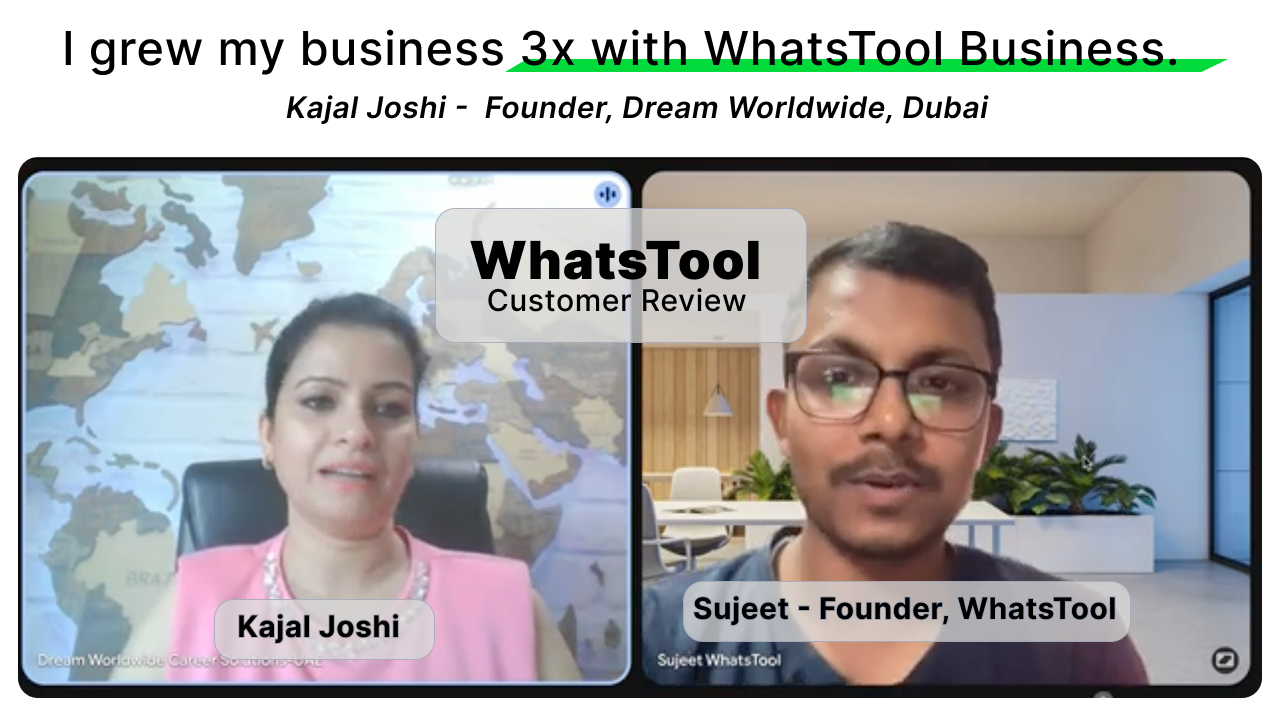
I grew my business 3x with WhatsTool Business.
YouTube
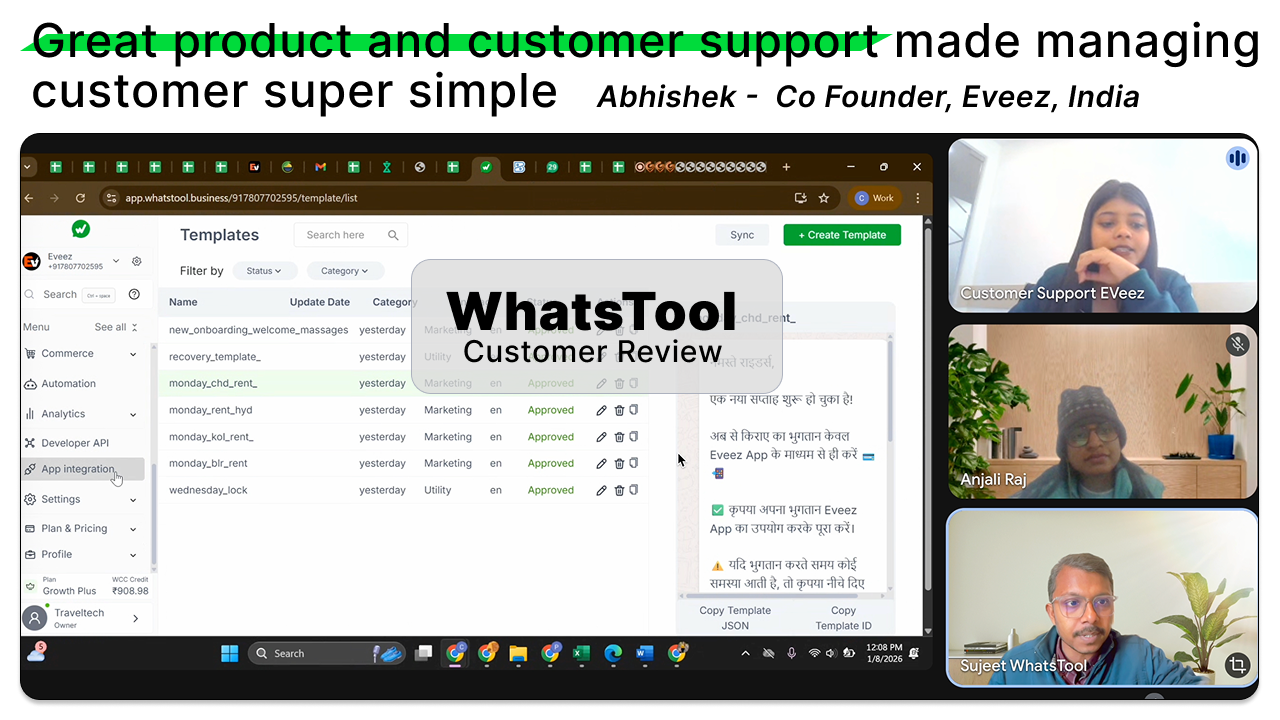
Great product and customer support made managing customer super simple
YouTube

FAQs

Find answers to common questions about WhatsTool Business API, pricing, and features.

Whats is WhatsTool Business?
WhatsTool Business is a complete WhatsApp api platform to grow your business with automation and analytics in marketing, sales and support.
How to get started using WhatsApp API for my business ?

To get started to using WhatsApp Business API you need the following three things

  1. Facebook Business account
  2. A phone number
  3. Business with a valid website and registration

We provide setup support to get WhatsApp Business API . Create your account to start the process of getting WhatsApp Business API.

A. Self setup available : Setup yourself from the provided video guide for free.

B. Setup Service from WhatsTool team: It will cost Rs 1000 for 30 mins in which the setup will be completed.

How much will this cost? How is the pricing and plan works?

Using WhatsApp Business API through our platform has two charges.

  1. Subscription charges – based on the plan you choose for your business, this is a monthly/annual recurring charges.
  2. WhatsApp conversation charges – as per the category of conversation initiated and country of the recipient.
How can I get WhatsApp verified green tick?

There is no extra charges to get green tick. We help you get verified green tick.
To get green tick you need to have following things

  1. A WhatsApp Business API number
  2. Verified Facebook Business account
  3. online published article on popular news/media websites
How I can send message to unlimited numbers?

Business phone numbers are initially limited to 250 business-initiated conversations in a 24-hour moving period, but this limit can be increased.

Increasing Your Limit

Messaging limits can be increased to the following:

  • 1K business-initiated conversations
  • 10K business-initiated conversations
  • 100K business-initiated conversations
  • An unlimited number of business-initiated conversations

You can increase your messaging limit to 1K on your own using the following methods. Higher limits, however, can only be achieved through automatic scaling, which happens after your limit has been increased to 1K.

What to do if my WhatsApp number is blocked?

Solution: You can raise a request from our dashboard to unban your number.
To use the same plan for different number you need to pay Rs 1000 or $15 for changing number in case of banned or any personal reason.

Explanation:
When the quality rating reaches low quality, your phone number quality rating changes to Low. If the phone number quality is Low and on track to be downgraded to a lower message tier, the phone number status changes to Flagged. When a phone number is Flagged, if the quality doesn’t improve over seven days, the status returns to Connected. However, the messaging limit will decrease to the next level. For example, the phone number that used to have the 100,000 messaging limit now has the 10,000 messaging limit.

  • Connected: You can send outgoing messages within your set messaging limit.
  • Flagged: This status occurs when the phone number’s quality rating changes to Low and is on track to be downgraded to a lower message tier. Businesses can’t upgrade messaging limit tiers while the status is Flagged. If the quality rating:
    • - Improves to a high or medium quality by the seventh day, the status will return to Connected and your messaging limit tier will remain unaffected.
    • - Does not improve by the seventh day, your status will return to Connected, but your messaging limit will decrease to the next level.
Will I get blocked for sending WhatsApp messages?

The blocking of your number will depend on the quality rating of phone number.

Your quality rating is a rating based on the recent messages that your customers have received over the past seven days. This rating is determined by the feedback from your customers, such as the reason to block your phone number and other reporting issues.

You can find the quality rating in the WhatsTool Business setting with the Phone numbers. The Quality rating column displays the quality states, including:

  • Green: High quality
  • Yellow: Medium quality
  • Red: Low quality

You can become eligible for more features when your business maintains a High quality rating. When the user blocks your business, they can select a block reason, including No longer needed, Didn’t sign up, Spam, Offensive messages or No reason.

What is the difference between WhatsApp app and WhatsApp Business API
  1. WhatsApp Business app is a free-to-download app that makes it easy for businesses to interact professionally with customers using tools to automate and quickly respond to messages.
  2. WhatsApp Business API is a collection of APIs and tools that allows medium and enterprise businesses to interact with their customers via WhatsApp at scale. Using WhatsApp APIs, businesses can connect thousands of agents and bots to interact with customers either automatically or manually. WhatsApp APIs also integrate with diverse backend systems like customer relationship management (CRM) and marketing platforms.
Will my brand name be visible while sending?
Yes, to get the brand name visibility you need to get your facebook business verified. We help you get this done. It is not required to get green tick to show your brand.
How to connect my WhatsApp Business number? Is onboarding support available?

a. Self setup available : Setup yourself from the provided video guide for free.

b. Setup Service from WhatsTool team: It will cost Rs 1000 for 30 mins duration in which the setup will be completed.

What is the eligibility to use WhatsTool Business free trial for 7 days?

We are providing 7 days free trial so you can validate your usecase and understand the WhatsTool Business dashboard.

We welcome and support to use this for 7 days to fullest but we are also restricting the 7 days free trial if we find that you are violating our uses limit or not having proper business for using WhatApp Business api. If we find any violation we can expire your account immediately or within 24 hr.

Get Started

Start Converting More Leads Today

Simple setup. Fast results.

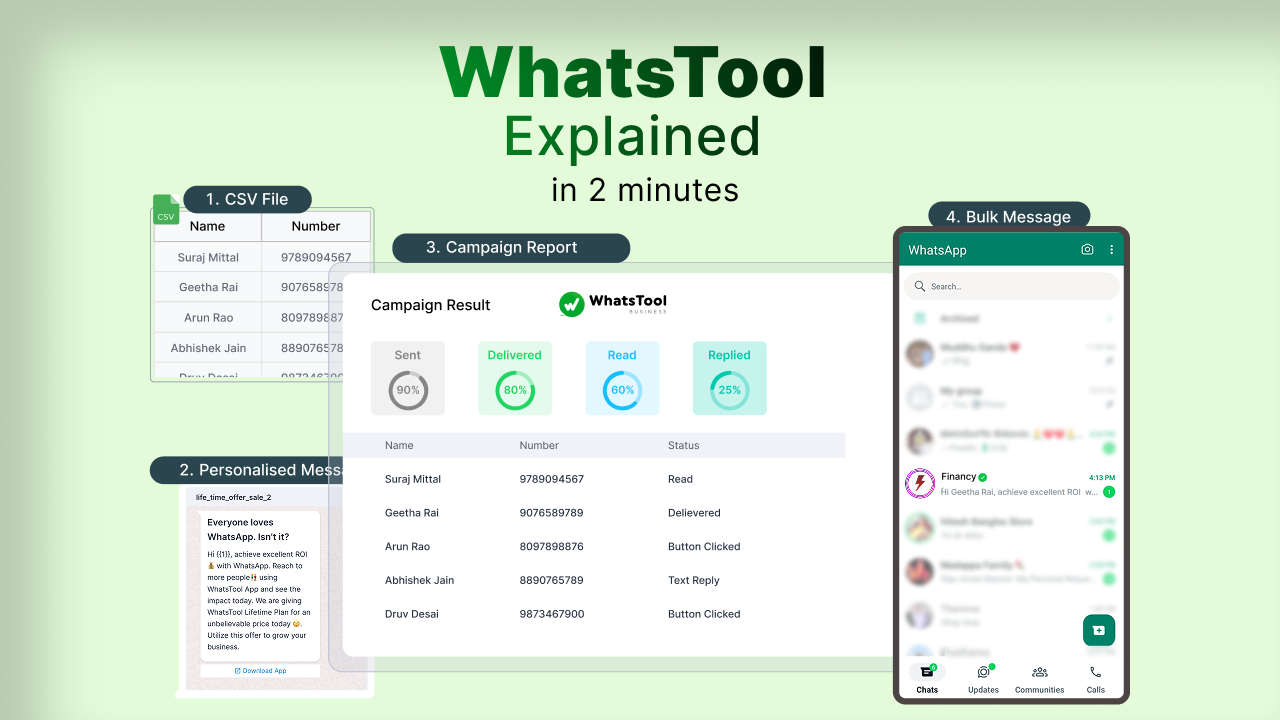
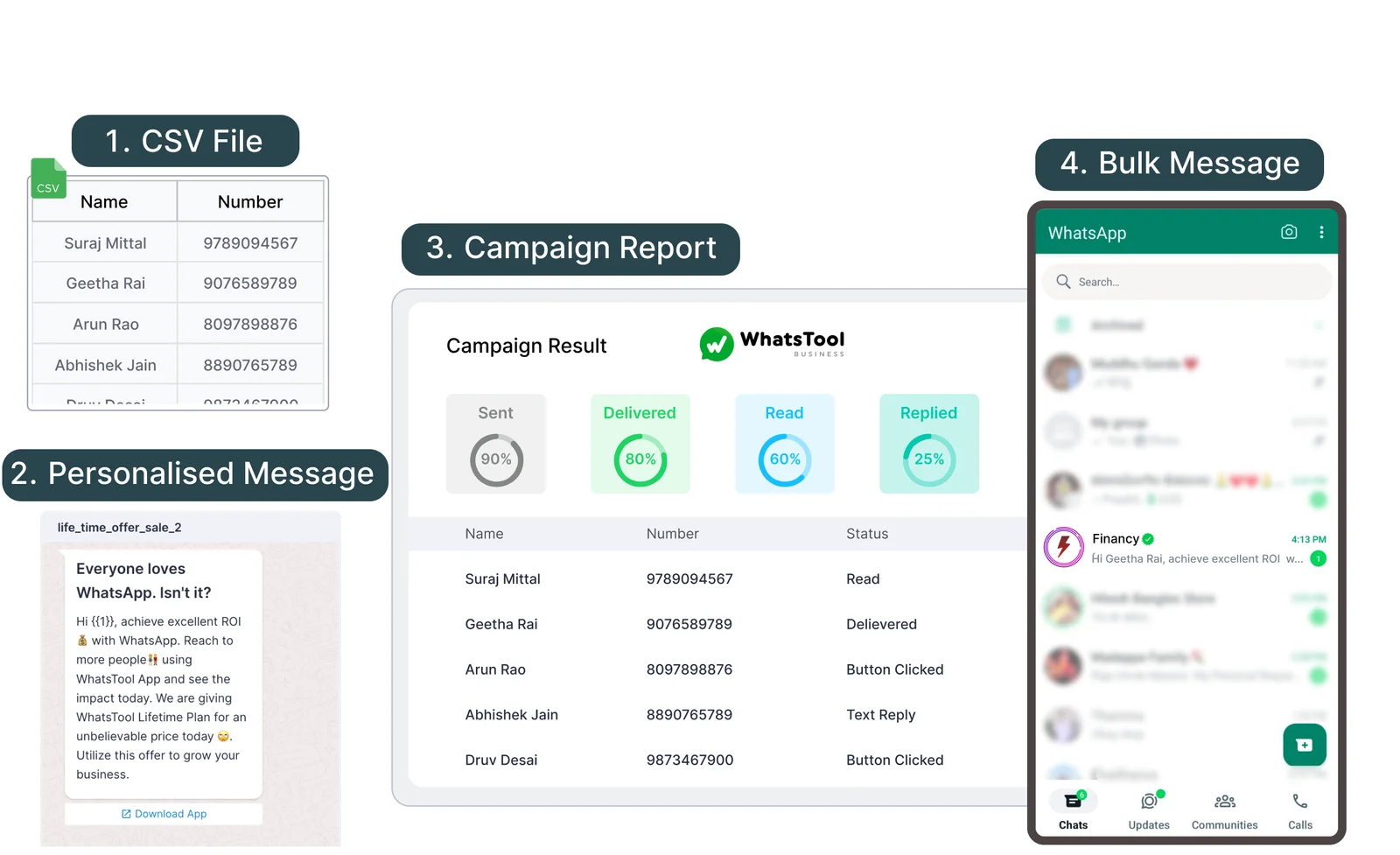
Campaign Result

99%
Sent
99%
Delivered
80%
Read
20%
Replied
WT
2X Growth